 TopSMM Blog
 By Koyal Pandey
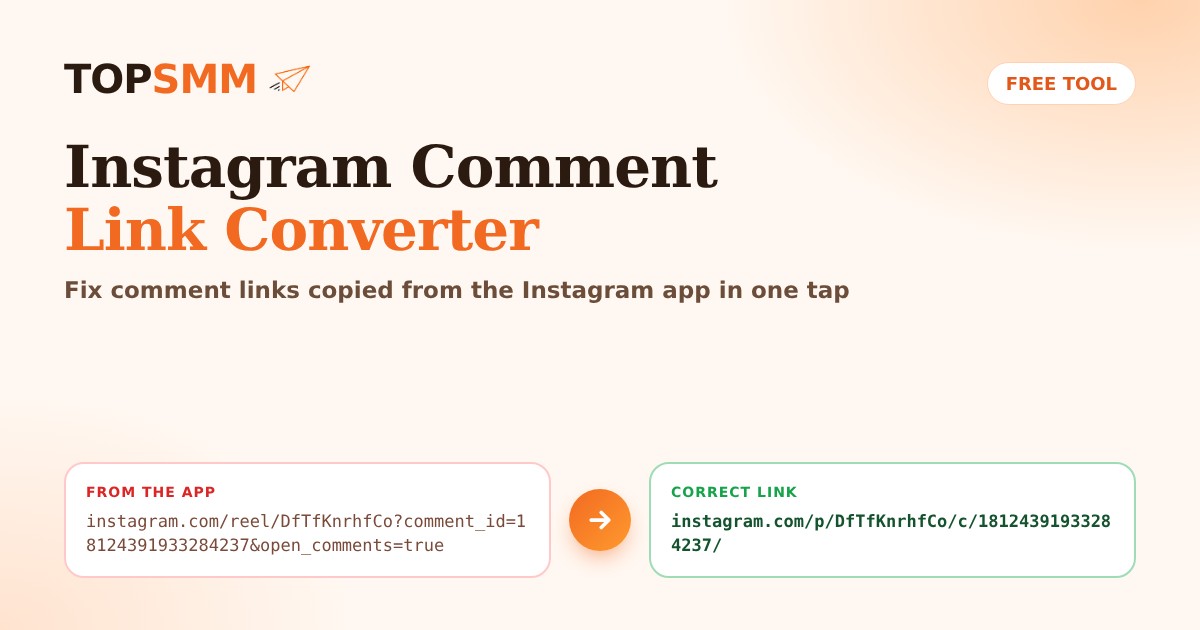
Quick answer: On a computer, right-click the time under a comment (for example 2h or 3d) and choose Copy link address. In the Instagram app, press and hold the comment on Android or swipe left on it on iPhone, tap the share icon and choose Copy link. The app gives a link like instagram.com/reel/POST?comment_id=123..., so paste it into our free Instagram Comment Link Converter to get the clean format instagram.com/p/POST/c/COMMENT/.
Video: how to order Instagram comment likes
What a correct Instagram comment link looks like
Every Instagram comment has its own address. A direct comment link has two parts: the short code of the post or Reel, and the number of the comment.
| Part | Example | What it means |
|---|---|---|
| Post or Reel code | DfTfKnrhfCo | The post the comment belongs to |
| Comment ID | 18124391933284237 | The exact comment |
| Correct link | https://www.instagram.com/p/DfTfKnrhfCo/c/18124391933284237/ | Opens that comment directly |
Reels and carousel posts use the same /p/ format for comment links, so you do not need a separate format for each type of post.
How to copy a comment link on a computer
- Open instagram.com in Chrome, Edge or any desktop browser and log in.
- Open the post or Reel and find the comment.
- Right-click the time under the comment, such as 2h, 5d or 1w.
- Choose Copy link address.
- Paste it. It already has the correct format ending in
/c/COMMENT_ID/.
This is the most reliable method because the link comes out in the correct format straight away.
How to copy a comment link on Android
- Open the post or Reel in the Instagram app and open the comments.
- Press and hold the comment you want.
- Tap the share (paper plane) icon at the top.
- Tap Copy link.
- Paste the link into the comment link converter to clean it.
How to copy a comment link on iPhone
- Open the comments on the post or Reel.
- Swipe left on the comment.
- Tap the share icon, then Copy link.
- Convert the copied link to the clean format with the converter.
The menus can move slightly between app versions, but the share option on a comment is always where the comment link is.
Why links from the app look different
Links copied in the app keep the comment as a parameter at the end of the post link. They usually look like one of these:
instagram.com/reel/DfTfKnrhfCo?comment_id=18124391933284237&open_comments=trueinstagram.com/p/DWRWQCnErvu/?carousel_share_child_media_id=...&comment_id=17919192750127771
The comment ID is still in there, but many tools and services read only the post part of the link. The comment is then ignored, which is why orders placed with such links can get less or no delivery.
Convert any app link in one tap
Our free Instagram Comment Link Converter reads the post code and the comment ID from any app link and builds the correct link for you. It works with posts, Reels and carousels, removes extra tracking text, and can convert many links at once, one per line. Nothing you paste leaves your browser.
Common mistakes
- Copying the post link instead of the comment link. A link without
comment_idor/c/points to the post, not the comment. - Using a short share link. Links like
instagram.com/share/...hide the IDs. Open them in a browser first and copy the full address. - Linking to a private account. Comments on private accounts cannot be opened by anyone who does not follow the account.
- Deleting or editing the comment. If the comment is removed, its link stops working.
Frequently asked questions
Can I get a comment link without a computer?
Yes. Copy the link from the comment in the app, then paste it into the converter to get the desktop format.
Does the comment link work for replies?
Copy the link from the reply itself. The converter uses the comment ID in that link.
Why does the converter say there is no comment ID?
The link you copied belongs to the post. Go back to the comment, use its share option and copy that link instead.
Is the converter free?
Yes. It is free, needs no signup and works on mobile and desktop.
More: Instagram comments services, Instagram SMM panel, all free tools and all SMM panel guides.