TopSMM Blog

Insights, Guides & Updates

Everything about SMM panels, social media growth & marketing tips — practical guides, honest comparisons and the latest TopSMM feature updates.

How to See the Exact Instagram Follower Count (Live, Not Rounded)

How to See the Exact Instagram Follower Count (Live, Not Rounded)

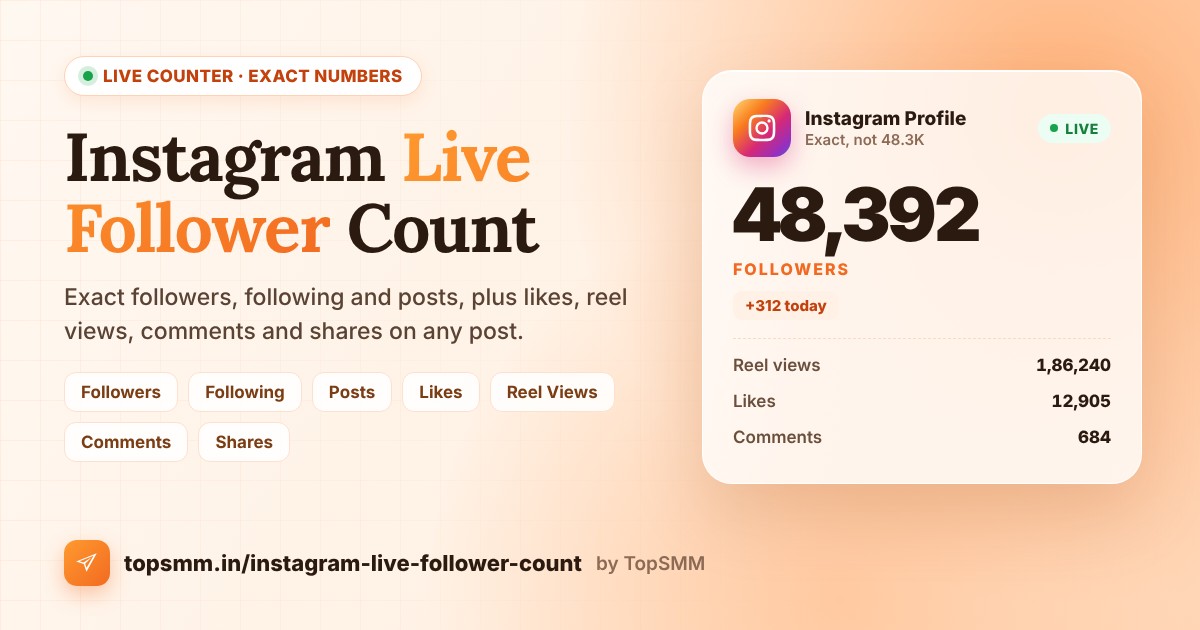
Instagram rounds follower counts. An account with 48,392 followers shows as 48.3K, and one with 1,254,870 shows as 1.2M. That hides real growth and real drops. This guide shows you how to see the exact, live follower count of any Instagram account, plus following, posts, and the likes, views, comments and shares on any post or reel.

Open the Instagram Live Follower Count tool

What the Instagram live counter can check

  • Followers, following and posts of any account.
  • Likes on one post or reel.
  • Reel views on one reel or video.
  • Comments and shares on one post or reel.

How to see the exact Instagram follower count: step by step

Step 1: Copy the profile link or username

Open the profile, tap the three dots, and choose Copy profile URL. You can also just type the username, for example topsmm or @topsmm.

Step 2: Open the counter and choose what to count

Go to the Instagram live counter and pick a tab: Followers, Following, Posts, Likes, Reel Views, Comments or Shares.

Step 3: Paste and tap Check count

The counter reads the live number from Instagram and shows the exact value in a few seconds. You need a free TopSMM account to run checks. If you do not have one, create a free account in under a minute.

Step 4: Refresh to track changes

Tap Refresh after a few minutes. The same link is cached for about 5 minutes, so very quick refreshes show the same number.

Which link to use for each counter

  • Followers, Following and Posts: the profile link, like instagram.com/username, or just the username.
  • Likes, Comments and Shares: the link of one post or reel, like instagram.com/p/ABC123 or instagram.com/reel/ABC123.
  • Reel Views: the link of one reel or video.

Why exact numbers matter

  • Daily growth: 48.3K can hide hundreds of new followers. The exact number shows every change.
  • Drops: Instagram removes inactive and fake accounts from time to time. An exact count shows a drop the same day.
  • Campaigns: note the count before and after a giveaway, collab or ad to see what worked.
  • Influencer checks: compare followers with likes and reel views before you pay for a promotion.

When a number cannot be read

Some creators hide like counts, and Instagram does not show share counts on every post. Likes, views, comments and shares only work on public posts and reels. If a number is hidden, the counter tells you instead of guessing.

Want to grow faster?

TopSMM offers Instagram followers, likes, reel views and comments from just ₹5 with UPI. You can also check your engagement rate for free, or see every service on the Instagram SMM panel page.

Frequently asked questions

Is the Instagram live counter free?

Yes. It is free for every TopSMM member. You only need a free account to run checks.

Is the follower count exact?

Yes. In most cases it shows the exact number, not a rounded value like 12.5K. If Instagram only gives a rounded number, the counter tells you.

Can I check a private account?

Followers, following and posts work for most accounts, including many private ones. Post counters only work on public posts and reels.

Can I check reel views?

Yes. Choose Reel Views and paste the reel link.

More free tools: Facebook Live Follower Count, YouTube Live Subscriber Counter and all free tools.
Read More How to See the Exact Instagram Follower Count (Live, Not Rounded)

How to Check Facebook Followers Live (Exact Count, Free Tool)

How to Check Facebook Followers Live (Exact Count, Free Tool)

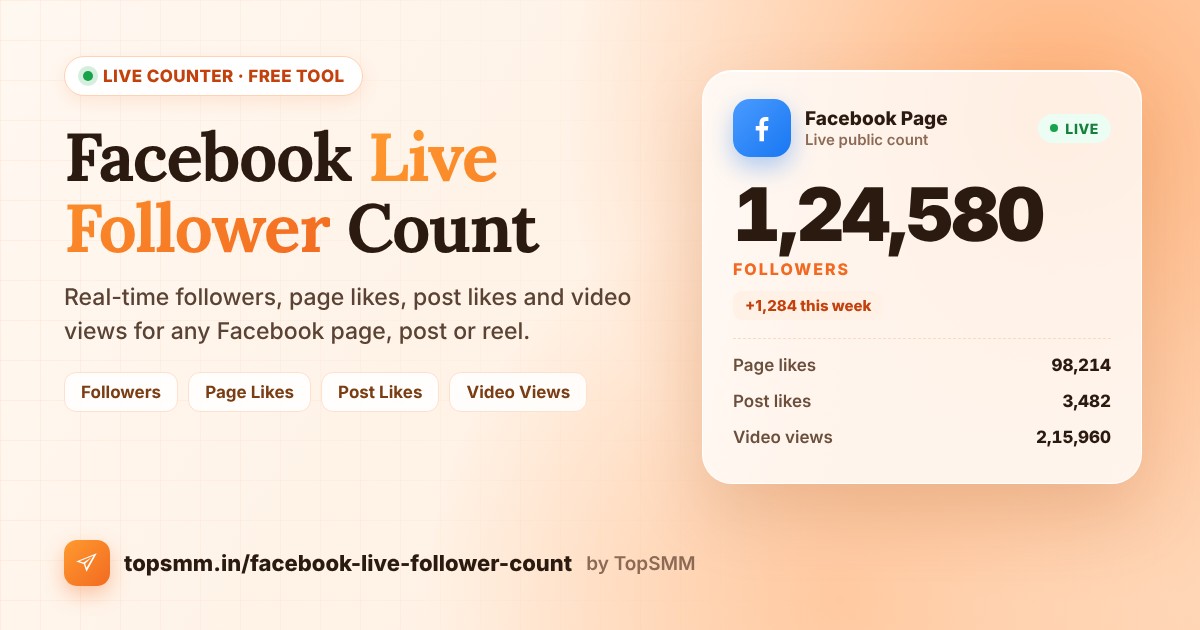
Facebook rounds big numbers. A page with 12,480 followers shows as 12K, so you cannot see small daily changes, check if a campaign worked, or spot a drop. This guide shows you how to check the live follower count of any Facebook page or profile, and also page likes, post likes and video views, using the free TopSMM counter.

Open the Facebook Live Follower Count tool

What the Facebook live counter can check

  • Followers of any public page or profile.
  • Page likes of a Facebook page.
  • Post likes (all reactions) on one post or reel.
  • Video views on one video or reel.

How to check Facebook followers live: step by step

Step 1: Copy the page or profile link

Open Facebook, go to the page or profile, tap the three dots or Share, and choose Copy link. Links like facebook.com/yourpage, facebook.com/profile.php?id=123 and facebook.com/share/... all work.

Step 2: Open the counter and choose what to count

Go to the Facebook live counter and pick a tab: Followers, Page Likes, Post Likes or Video Views.

Step 3: Paste the link and tap Check count

The counter reads the public number from Facebook and shows it in a few seconds. You need a free TopSMM account to run checks. If you do not have one, create a free account in under a minute.

Step 4: Refresh to see changes

Tap Refresh after a few minutes to see the latest value. The same link is cached for about 5 minutes, so very quick refreshes show the same number.

Which link to use for each counter

  • Followers and Page Likes: the page or profile link.
  • Post Likes: the link of one post or reel (open the post, tap Share, then Copy link).
  • Video Views: the link of one video or reel, like facebook.com/reel/123456 or facebook.com/watch?v=123456.

Why the number is sometimes rounded

Some Facebook pages only show a short number like 12K or 1.5M in public. When that happens, the counter shows the closest value it can find and tells you how far it may be off. Post likes and video views are shown as exact numbers.

Smart ways to use a live follower count

  • Track daily growth without waiting for the next rounded jump.
  • Check a campaign or giveaway by noting the count before and after.
  • Spot a drop early, for example after removing fake or inactive accounts.
  • Verify a page before you pay it for a shoutout or promotion.

Want the number to go up?

If you are building a new page, a strong start helps people trust it. TopSMM offers Facebook followers, post likes and video views from just ₹5 with UPI. See all services on the Facebook SMM panel page.

Frequently asked questions

Is the Facebook live counter free?

Yes. It is free for every TopSMM member. You only need a free account to run checks.

Can I check a private profile?

No. The counter only reads numbers that Facebook shows in public.

Does it work for reels?

Yes. Choose Post Likes for reactions on a reel, or Video Views for how many times it was watched.

Why does it say the checker is busy?

The live checker handles a limited number of checks at a time. Wait a few minutes and try again.

More free tools: Instagram Live Follower Count, YouTube Live Subscriber Counter and all free tools.
Read More How to Check Facebook Followers Live (Exact Count, Free Tool)

How Much Does TikTok Pay per 1,000 Views? Creator Rewards and Brand Deals

How Much Does TikTok Pay per 1,000 Views? Creator Rewards and Brand Deals

TikTok creators earn in two main ways: the Creator Rewards Program, which pays for qualified views, and brand deals, which pay for promotion. This guide explains both, the requirements, realistic numbers and how to estimate what your account could earn.

Get an estimate in seconds with the free TikTok Money Calculator.

Creator Rewards Program

TikTok pays creators for qualified views on original videos longer than one minute. To join you generally need:

  • At least 10,000 followers.
  • At least 100,000 video views in the last 30 days.
  • To be 18 or older and live in an eligible country.
  • An account in good standing that follows the community guidelines.

Payouts vary by country, watch time, search value and engagement, and are often well under one US dollar per 1,000 qualified views.

Brand deals pay more

FollowersTypical price per sponsored video
10,000 to 50,000About 40 to 500 US dollars
50,000 to 250,000About 200 to 2,500 US dollars
250,000 to 1 millionAbout 1,000 to 10,000 US dollars
Above 1 million10,000 US dollars and more

These are broad market estimates. Brands look closely at average views per video, not only followers.

Other ways TikTok creators earn

  • LIVE gifts from viewers during live streams.
  • Affiliate commissions through TikTok Shop where available.
  • Selling your own products, courses or services.
  • Subscriptions for exclusive content.

A note for Indian creators

TikTok has been banned in India since 2020. Creators in India who want short video income usually focus on Instagram Reels and YouTube Shorts, and use TikTok only if they target viewers in other countries.

How to grow your TikTok income

  • Make some videos longer than one minute to qualify for rewards.
  • Hook viewers in the first two seconds with the video hook generator.
  • Post consistently in one niche so brands understand your audience.
  • Build social proof early. Many creators use TikTok growth services alongside good content.

Frequently asked questions

How much does TikTok pay per 1,000 views?

Through the Creator Rewards Program, qualified views on videos longer than one minute usually earn well under one US dollar per 1,000 views, depending on country and video performance.

Is TikTok available in India?

No. TikTok has been banned in India since 2020. Indian creators who target audiences abroad often use Instagram Reels and YouTube Shorts alongside TikTok in other countries.

How many followers do you need to earn on TikTok?

Creator Rewards needs at least 10,000 followers and 100,000 video views in the last 30 days, plus an eligible country and age 18 or older. Brand deals have no fixed minimum.

What earns more on TikTok, rewards or brand deals?

For most creators, brand deals earn far more than Creator Rewards.

Estimate your income with the TikTok Money Calculator, or read about the best SMM panel for TikTok.

Read More How Much Does TikTok Pay per 1,000 Views? Creator Rewards and Brand Deals

How to Download a YouTube Thumbnail in HD (Video and Shorts)

How to Download a YouTube Thumbnail in HD (Video and Shorts)

Creators download thumbnails to back up their own work, study what gets clicks in their niche and plan new designs. YouTube does not offer a download button, but every thumbnail is available as a public image. This guide shows the quickest way to get it in HD and how to design better thumbnails of your own.

Use the free YouTube Thumbnail Downloader to get all sizes at once.

Step by step

  1. Open the video or Short and copy its link from Share, Copy link.
  2. Paste it into the thumbnail downloader.
  3. Click the size you need. The image opens in a new tab.
  4. Long press or right click the image and save it.

Available sizes

SizeResolutionBest for
Full HD1280 x 720Backups and design reference
SD640 x 480When Full HD is not available
HQ480 x 360Previews and documents
Medium320 x 180Small previews

Full HD appears only when the creator uploaded a high resolution thumbnail.

The right size for your own thumbnails

YouTube recommends 1280 x 720 pixels, a 16:9 ratio and a file under 2 MB in JPG or PNG. Design at that size so it stays sharp on TVs and large screens.

Thumbnail tips that improve clicks

  • One clear subject, such as a face or product, large enough to see on a phone.
  • Three or four bold words at most, not the full title.
  • Strong contrast between subject, text and background.
  • A style you repeat so viewers recognise your videos.
  • Matching the title promise so viewers stay and do not click away.

Use thumbnails fairly

Thumbnails belong to the creators who made them. Download your own freely, and ask permission before reusing an image made by another creator in your own video or post.

Great thumbnails bring clicks, and early views help a video reach more people. Learn how to get more YouTube views or see YouTube views on TopSMM.

Frequently asked questions

How do I download a YouTube thumbnail in HD?

Paste the video link into a thumbnail downloader and choose the Full HD 1280x720 size. If it is missing, the creator did not upload a high resolution image, so use SD or HQ.

Can I download a Shorts thumbnail?

Yes. Paste the Shorts link and the available sizes will appear the same way.

Is it legal to download YouTube thumbnails?

Downloading your own thumbnail is fine. Thumbnails belong to the creator, so ask for permission before using an image made by someone else in your own content.

What size should a YouTube thumbnail be?

1280 x 720 pixels in a 16:9 ratio, under 2 MB, in JPG or PNG.

Grab any thumbnail with the YouTube Thumbnail Downloader and plan your next title with the YouTube title generator.

Read More How to Download a YouTube Thumbnail in HD (Video and Shorts)

How to Create a WhatsApp Link (wa.me) with a Pre-filled Message

How to Create a WhatsApp Link (wa.me) with a Pre-filled Message

A WhatsApp link lets anyone start a chat with you in one tap, without saving your number first. It is one of the simplest ways to turn Instagram followers, website visitors and ad clicks into real conversations. Here is how to make one, add a ready message and use it well.

Skip the manual steps with the free WhatsApp Link Generator.

The WhatsApp link format

Every WhatsApp click-to-chat link uses this pattern:

https://wa.me/ + country code + number

For an Indian number 98765 43210, the link is https://wa.me/919876543210. Do not add the plus sign, spaces, dashes or a leading zero.

Add a pre-filled message

Add ?text= and your message to the end of the link. Spaces and symbols must be encoded, which the generator does automatically. A message such as "Hi, I want to know the price" saves the customer typing and tells you where the lead came from.

Step by step

  1. Open the WhatsApp Link Generator.
  2. Enter your number with country code, such as 91 followed by your 10-digit number.
  3. Type an optional message.
  4. Copy the link, test it with Open link, or download the QR code.

Where to use your WhatsApp link

  • Instagram and Facebook bio links.
  • YouTube video descriptions and pinned comments.
  • Website contact buttons and order pages.
  • Google Business Profile and online ads.
  • Printed as a QR code on posters, menus and packaging.

Tips to get more chats

  • Use different pre-filled messages for each source, such as "From Instagram" or "From website", to track what works.
  • Reply quickly. People who tap a WhatsApp link expect a fast answer.
  • Keep your WhatsApp profile name and photo matching your brand.

Growing a WhatsApp channel as well? See our guide to the best SMM panel for WhatsApp channels and WhatsApp channel members.

Frequently asked questions

How do I create a WhatsApp link for my number?

Use the format https://wa.me/ followed by your number with country code and no plus sign or spaces, such as https://wa.me/919876543210. Our generator builds it for you.

Can I add a message to a WhatsApp link?

Yes. Add ?text= followed by your message. The generator encodes it correctly so spaces and symbols work.

Does a WhatsApp link work without saving the number?

Yes. Anyone who taps the link opens a chat with you directly, without saving your contact.

Does it work for WhatsApp Business?

Yes. The same link format works for WhatsApp and WhatsApp Business numbers.

Create your link and QR in the WhatsApp Link Generator, or design a branded QR in QR Studio.

Read More How to Create a WhatsApp Link (wa.me) with a Pre-filled Message

How to Make a UPI QR Code with Your Logo and Business Name

How to Make a UPI QR Code with Your Logo and Business Name

A plain UPI QR works, but a QR with your logo, brand colours and business name looks professional and makes customers more confident before they pay. This guide shows how to create one for your shop, website or SMM panel, what details to add and how to test it.

Create yours with the free QR Studio.

What is inside a UPI QR code

A UPI QR code holds a payment link that starts with upi://pay. It includes your UPI ID, the payee name and, if you want, a fixed amount and a note. When a customer scans it in any UPI app, those details fill in automatically.

Step by step: make a UPI QR with your logo

  1. Open QR Studio and choose UPI Payment.
  2. Enter your UPI ID and business name exactly as they appear in your bank or UPI app.
  3. Add an amount if every customer pays the same price, or leave it empty.
  4. Pick a colour preset or set your brand colours. Keep the code dark on a light background.
  5. Upload your logo. The studio raises error correction so the code still scans.
  6. Choose a frame and add your name on top and a line such as "Scan to Pay" below.
  7. Log in and download the PNG in 1024 or 2048 px for printing.

Design tips that keep the code scannable

  • Keep strong contrast. Dark code on a white or light background works best.
  • Keep the logo small, around a fifth of the code width.
  • Do not stretch or crop the code, and leave a clear margin around it.
  • Print it at least 3 cm wide for counters, larger for posters.

Test before you print

Scan the code with Google Pay, PhonePe and Paytm and check that the payee name and amount are correct. You can also read any QR image with the Scan QR tab in QR Studio, which shows the UPI ID and name inside it.

Where to use your UPI QR

  • Shop counters, bills and delivery packets.
  • Your website payment or add funds page.
  • Instagram and WhatsApp business profiles.
  • Invoices and quotations sent as PDF.

If you run an SMM panel or child panel, a branded QR on your add funds page builds trust. Read how UPI and Paytm deposits work on TopSMM.

Frequently asked questions

Is a UPI QR code with a logo safe to scan?

Yes, if the logo is small and the code has enough contrast. Always test the code with two or three UPI apps before printing it.

Can I set a fixed amount in a UPI QR code?

Yes. Add the amount when you create the QR and the customer sees it filled in. Leave it empty if customers should type their own amount.

Is a personal UPI QR allowed for business payments?

Small sellers often use a personal UPI ID, but banks and UPI apps may limit business use of personal accounts. For regular business payments, a merchant or business UPI ID is the safer choice.

Do UPI QR codes expire?

A static QR code made from your UPI ID does not expire. It works as long as the UPI ID inside it is active.

Make your branded payment QR in QR Studio, or explore all free tools.

Read More How to Make a UPI QR Code with Your Logo and Business Name
🔍No articles found. Try a different keyword.

Ready to grow your social media?

1,000+ fast, affordable services with refill support — start with any budget.

Explore more

Browse TopSMM Guides

Find guides, services and country pages in one place.

Why Choose a Trusted SMM PanelSocial Media Marketing SMM PanelBest SMM Providing High Quality ServiceTips for How to Get Free Instagram FollowersWho Is the Main SMM Panel ProviderTop SMM Panel in IndiaChild Panel EarningSMM Panel Password PreventionSMM Panel IndiaSMM Panel for InfluencersSMM Panel for Small BusinessSMM Reseller PanelSMM Child PanelSMM Panel for MusiciansSMM Panel APIMain SMM ProviderSMM Panel Se Followers Kaise BadhayeSMM Panel Real or FakeSMM Server ExplainedSMM Panel Mass OrderWholesale SMM ProviderSMM Panel Script vs Child PanelSMM Price List ExplainedSMM Panel UPI Paytm Add FundsTopsmm Drop Checker FeatureSMM Panel vs Meta AdsStart SMMA with APIRefill vs Non Drop ServicesAI SMMServer 2 Budget SMM ServicesCreditcard PayPal SMMAI SMM Provider Future of Social Media GrowthHow to Start SMM Reseller BusinessChoose Right SMM ProviderHow Social Media Affects Our LivesWhat Is Social Media MarketingStory Reel ViewsSMM Panel South Africa Digital GrowthSMM Panel Russia Automated Growth EngineSMM Panel Mexico Social Media GrowthSMM Panel Hong Kong Smart Marketing AutomationSMM Panel Singapore Precision Marketing PlatformSMM Panel Vietnam Digital Growth EngineSMM Panel Malaysia Innovative Social Growth HubSMM Panel Thailand Smart Growth PlatformSMM Panel UAE Main Top SMM ProviderSMM Panel UAE Main SMM ProviderSMM Panel Saudi Arabia Main Top SMM ProviderSMM Panel Saudi Arabia Top SMM ProviderSMM Panel Global ServicesSMM Panel IndiaApplication Data vs Bot Data FollowersInstagramfollowersupdateBest SMM API Provider
Free Instagram Likes ViewsGet Instagram FollowersBuy Indian Instagram Followers Cheapest SMM PanelHow to Get Free Instagram Followers from SMM PanelBuy Instagram FollowersBuy Instagram LikesBuy Instagram ViewsBuy YouTube SubscribersBuy YouTube ViewsBuy Telegram MembersBuy Facebook FollowersBuy TikTok FollowersBuy Twitter FollowersBuy Instagram CommentsBuy Instagram Story ViewsBuy YouTube LikesBuy YouTube Live Stream ViewsBuy Facebook Post LikesBuy Facebook Video ViewsBuy Telegram Post ViewsBuy Telegram ReactionsBuy TikTok LikesBuy TikTok ViewsBuy Twitter LikesBuy Spotify PlaysBuy WhatsApp Channel MembersBuy Website TrafficTelegram SMM PanelInstagram SMM PanelYouTube SMM PanelFacebook SMM PanelTikTok SMM PanelTwitter SMM PanelSpotify SMM PanelWhatsApp SMM PanelBest SMM PanelFastest SMM PanelBuy Instagram SavesBuy YouTube CommentsBuy Facebook Page LikesBuy Telegram Premium MembersBuy TikTok SharesBuy TikTok CommentsBuy Twitter RetweetsBuy Twitter ViewsBuy Spotify FollowersBuy Spotify Monthly ListenersApna SMM Panel Kaise BanayeCheapest SMM Panel IndiaSpotify Monthly Listeners vs FollowersTwitter Views and Retweets GuideTikTok Shares and Comments ReachInstagram Saves ExplainedTelegram Post Views and Reactions GuideBooster SMM Panel SMM Boost ExplainedTop 5 SMM Panel FeaturesSMM Panel Facebook Views What to ExpectBiggest SMM Panel vs Smaller PanelsHow to Read SMM Panel ReviewsYouTube Live Viewers Live Stream BoostingSMM Panel YouTube Shorts ViewsBest SMM Panel for WhatsApp ChannelsBest SMM Panel SpotifyBest SMM Panel for TikTokWhy Instagram Paid Followers Drop After UpdatesInstagram Reach Impressions Missing Views Viewers ExplainedWill SMM Panels Exist in 2050 Future of Social Media GrowthSafe SMM Panel GuideOrganic Growth vs SMM PanelMain SMM PanelCrypto SMM PanelEasy SMM Panel Setup GuideWhat Is API in SMM PanelHow to Make Money with SMM PanelUse SMM Panel SafelyWhat Is Child Panel in SMM PanelWhat Is Drip Feed in SMM PanelHow Does An SMM Panel WorkWhat Is An SMM PanelBest Reddit SMM PanelBest Pinterest SMM PanelThreads SMM PanelTwitch Followers Growth with SMM PanelBoost Snapchat ViewsBest Snapchat SMM PanelBoost Linkedin Connections ImpressionsBest Linkedin SMM PanelTwitter Engagement Growth TipsFast Twitter FollowersBest Twitter SMM PanelGrow YouTube with SMM ServicesBest YouTube SMM PanelHow to Grow Telegram Channel MembersTelegram Premium Members GuideBest Telegram SMM PanelBoost Facebook Likes FollowersHow SMM Panels Help Facebook EngagementBest Facebook SMM PanelYt Monetization SMM PanelIncrease YouTube SubscribersGet More YouTube ViewsYouTube Watchtime SMM PanelInstagram Organic GrowthInstagram Comments GrowthGet Real Instagram LikesBoost Instagram Followers FastBest Instagram SMM PanelOman SMM Panel13 Year SMM Panel Veteran Industry Secrets Best Trusted ProvidersIncrease Instagram Post ViewsInstagram Repost FeatureInstagram UpdateGet 1000 Instagram FollowersBuy Real YouTube ViewsBuy Facebook Page LikesBuy Instagram FollowersBuy Twitter FollowersBest SMM Panel in WorldFastest SMM Panel IndiaCheapest Instagram SMM PanelNumber One SMM PanelFree SMM PanelRent SMM Panel
WhatsApp Community WhatsApp Support